

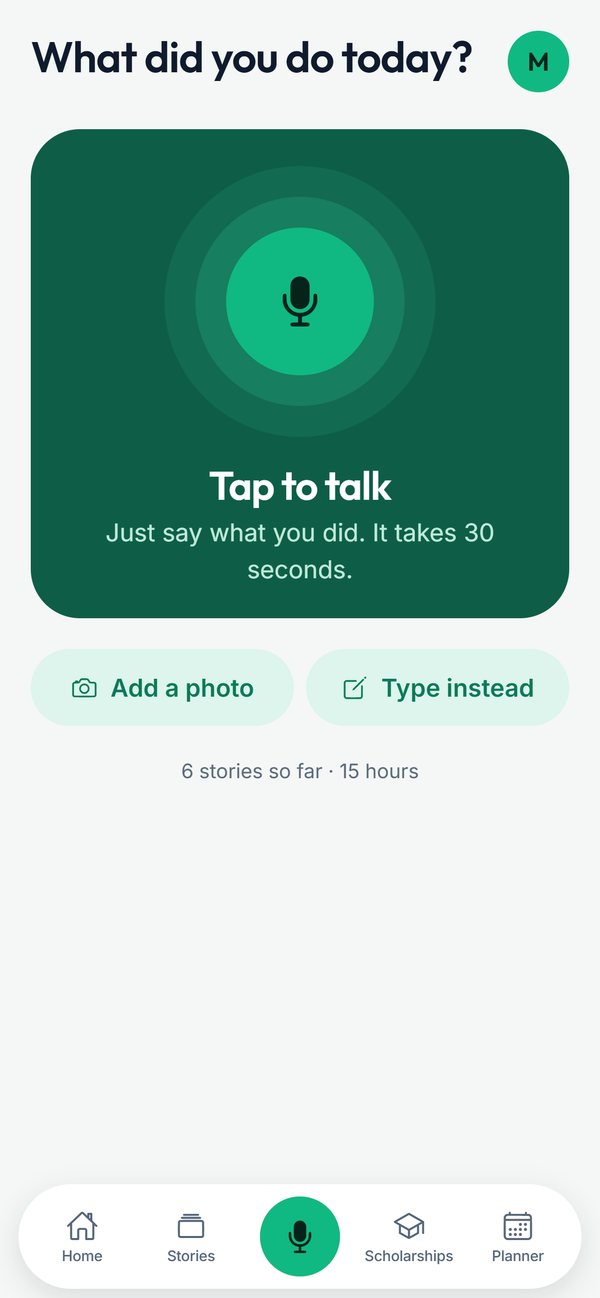
Tell your story
Tap the + and just say what you did, type it, or snap a certificate. Ascea suggests a title, the skills you showed and the hours it took. You can change anything.
Now in testing · Coming to iPhone
Ascea helps Canadian high-school students log the things they do, keep their school week on track, match real scholarships, and draft applications in their own words.
For Grades 9 to 12, anywhere in Canada. Free to start, with a read-only view for parents.
How it works
Tap the + and just say what you did, type it, or snap a certificate. Ascea suggests a title, the skills you showed and the hours it took. You can change anything.
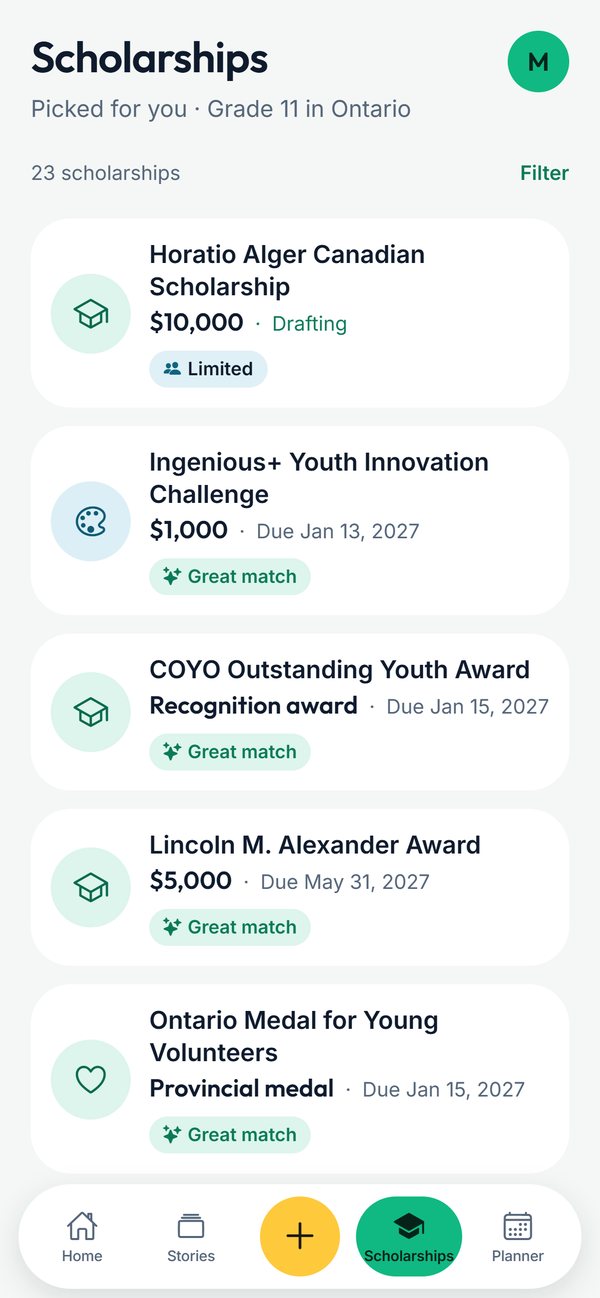
More than 170 awards from official pages, across Canada and in every province and territory, picked for your grade and province and ranked by how well your stories fit.
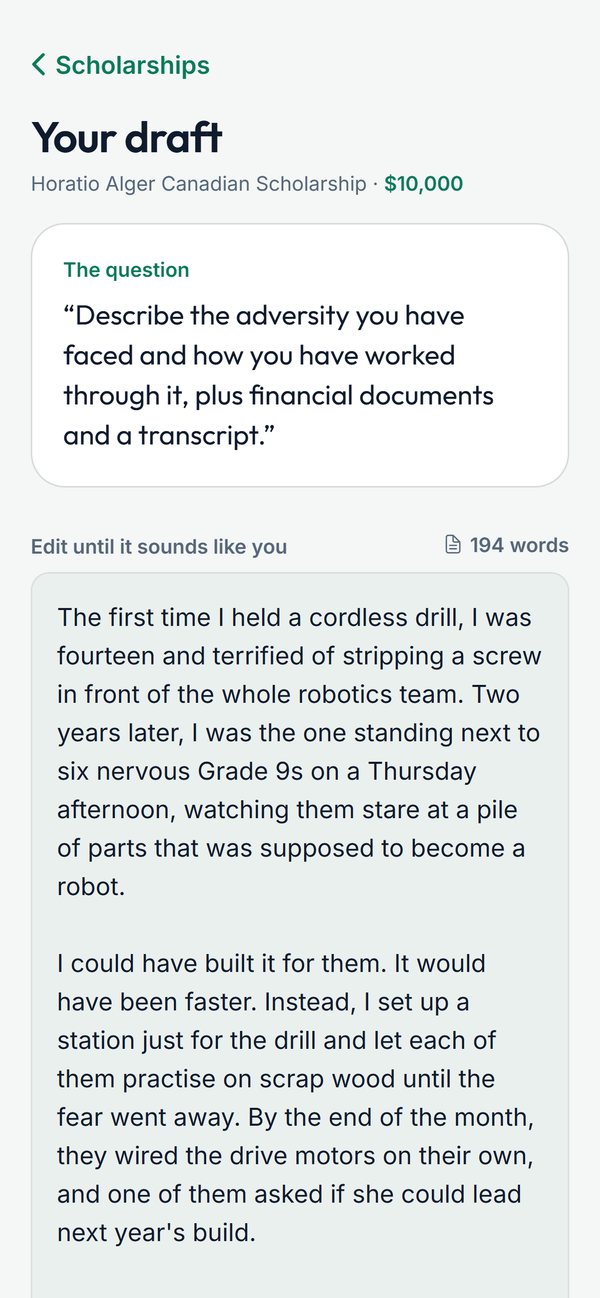
Pick the stories that fit the question and get a first draft built only from what you did, in English or French. Then edit until it sounds like you.
Made for real student life
Volunteering, sports, clubs, part-time jobs, helping at home. Ascea turns them into stories, hours and skills you can use.


Planner
Set up your timetable once and Ascea knows what's on today, including Day 1 / Day 2 schedules. Homework, tests and events sit next to your classes.
Scholarships
Each scholarship shows the award, the days left and the time it takes to apply, then says plainly who can apply and what to send.
For parents
Parents get their own read-only view: hours logged, applications, upcoming deadlines and the scholarship money their child is a strong fit for.
Free and Plus
Everything in Ascea works for free. Ascea Plus, coming with the launch, raises the monthly AI help and adds extras for families.
Everything you need to get started
More AI help, and more for families
Privacy by design
Accounts and backups live in Montreal. Sign-in uses one-time email codes, so there's no password to leak.
No advertising, no analytics trackers, and no access to your location, contacts or school email.
Speech is turned into text on the phone wherever it's supported. Ascea never keeps audio.
Timetable, homework and notes are yours. Parents see them only if you share, and never your notes.
Suggestions and drafts are a starting point. You edit everything, and nothing is used to train AI models.
Students and parents can delete their account from inside the app, and everything goes with it.
Read the privacy policy and terms of use.
Questions
High-school students in Grades 9 to 12 anywhere in Canada, and their parents. Graduating students can use it for awards they apply to for their first year after high school.
Ascea is being tested now and is coming to the App Store for iPhone. Leave your email below and we'll tell you when it's out.
A web version that works on computers and on any phone's browser is on the way, using the same account. It's great for parents who'd rather check in from a laptop. Android is planned after that.
Ascea is free to use. Ascea Plus is an optional subscription for more AI help and family extras, with a free trial to start.
From the official pages of governments, foundations, credit unions, associations, service clubs and companies. Ascea re-checks deadlines and amounts automatically, and a person reviews every new award before it's added.
No. It drafts a starting point using only the student's own stories, and the student edits it until it sounds like them. Students should always follow each scholarship's own rules.
They can start right away on their phone, but nothing is backed up or sent to the AI until a parent links up and approves by email. You can withdraw approval at any time.

Students, parents, teachers and guidance counsellors: send us a note and we'll tell you when Ascea is on the App Store and when the web version opens.
Or write to hello@kgmstudio.ca any time.


